
Automatically run defined tasks with Task Scheduler

The Windows Task Scheduler can run almost any program automatically — at a time and in a way you set.
Automatically run defined tasks with Task Scheduler Read More »

The Windows Task Scheduler can run almost any program automatically — at a time and in a way you set.
Automatically run defined tasks with Task Scheduler Read More »

If I were in your shoes, I would open the box, take out the hard drive, and put it in an external USB enclosure.
Recovering Pics from PC that Won’t Boot Read More »

It is very important for us to take utmost precaution while working on public computers. A few of them are enumerated here.
Top 10 Tips for Safely Using Your PC in Public Read More »

You thought you just removed them and rescued your PC, but NOoooooooooooooooooooooo!!! They just keep coming back. Relentless. They are the Undead!
To Kill a Zombie Virus you must kill their brain. Let me show you how.
Remove FBI & Babylon Zombie Virus Read More »

Adobe Flash and Java are two downloads most of us have installed on our Windows computers, as they give us a richer internet and browsing experience. We have already seen how to manage Adobe Flash Settings.
Today we will learn about Java Settings in Windows 7.
Understand and Manage Java Settings in Windows 7 Read More »
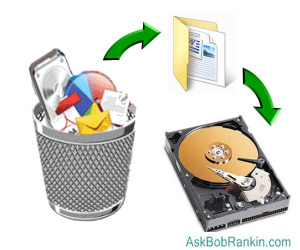
There is almost nothing worse than losing important files when you experience a finger fumble, brain freeze, or computer crash. But never fear, there are tools that can help you recover those lost files, and some of the best ones are free…
7 Free Tools to Recover Deleted Files Read More »

There are a number of third-party utilities that give you just the functionality you seek, through a variety of mechanisms. My favorite approach is…
How do I Save As PDF from within Internet Explorer (IE9)? Read More »

I have just completed a total backup via Acronis on my external hard drive. Is there any reason to save previous total backups?
Keeping Old Hard Drive Backup Files Read More »

If you want quick access to the items on your desktop, any website, or you Internet Explorer favorites, you can add them to your Windows taskbar. Learn, in this guide how to add these toolbars and how to create a custom toolbar.
Add Favorite Sites and More to Windows Taskbar Read More »

5 changes to Windows 8 which may be deemed surprising by most people (for better or worse), and which could probably feed more fuel to the debate fire both ways.
5 Things That May Surprise You About Windows 8 Read More »