
A digital signature proves that a file hasn’t been tampered with, but it doesn’t always tell you if the source is one you should trust. Geography plays a pivotal role in modern threat assessments. PC Matic’s Fingerprint Dashboard has introduced Country of Origin data to give you total visibility into the geographic footprint of your software ecosystem.
The Role of Geographic Origin in Software Supply Chain Security
Understanding your software signatures’ origin is important because it determines whether you can reliably trust the software’s integrity and authenticity. Without verifying the origin, a signature can be meaningless, and sometimes even dangerous, because it may have been issued by a compromised or untrusted source.
Enhancing Threat Intelligence with the Country of Origin Tool
The Country of Origin tool analyzes every digitally signed file across your Windows devices and maps them back to their registered source.
The Global Overview
On your dashboard, you’ll see a high-level percentage breakdown. This represents the percentage of files running on your devices that were created and signed in specific regions (e.g., the United States).
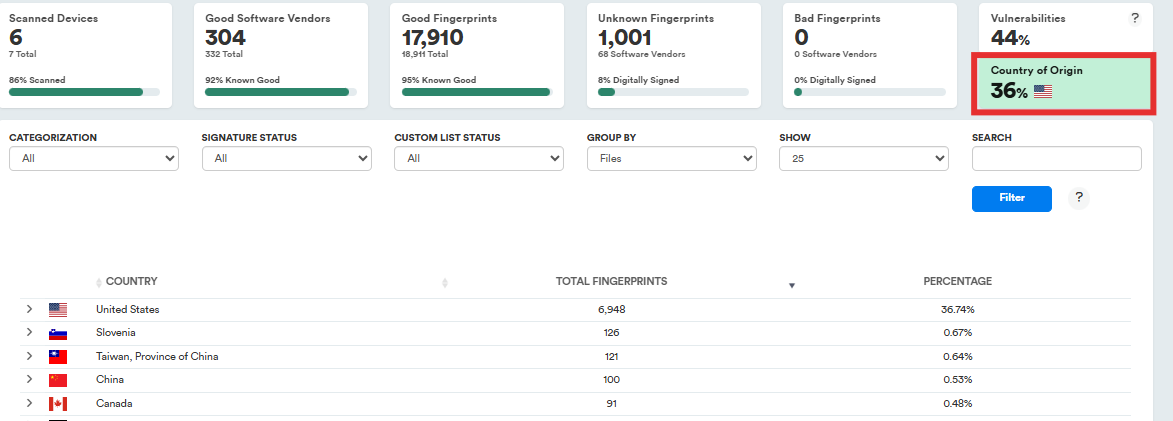
Drilling Down into the Data
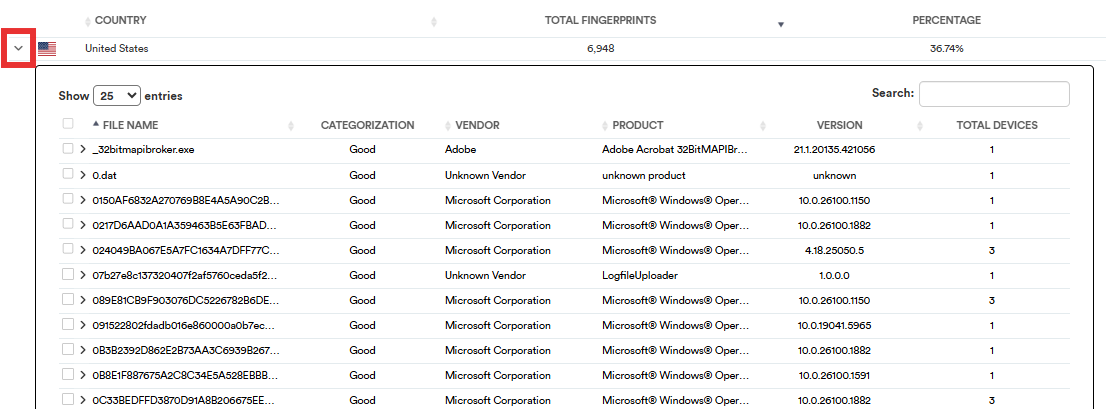
Clicking the arrow beside any country in this view will display a list of all files signed by that specific country. This list will include the Filename, Categorization, Vendor, Product, Version, and Total Devices. You can sort the list by each of those columns.
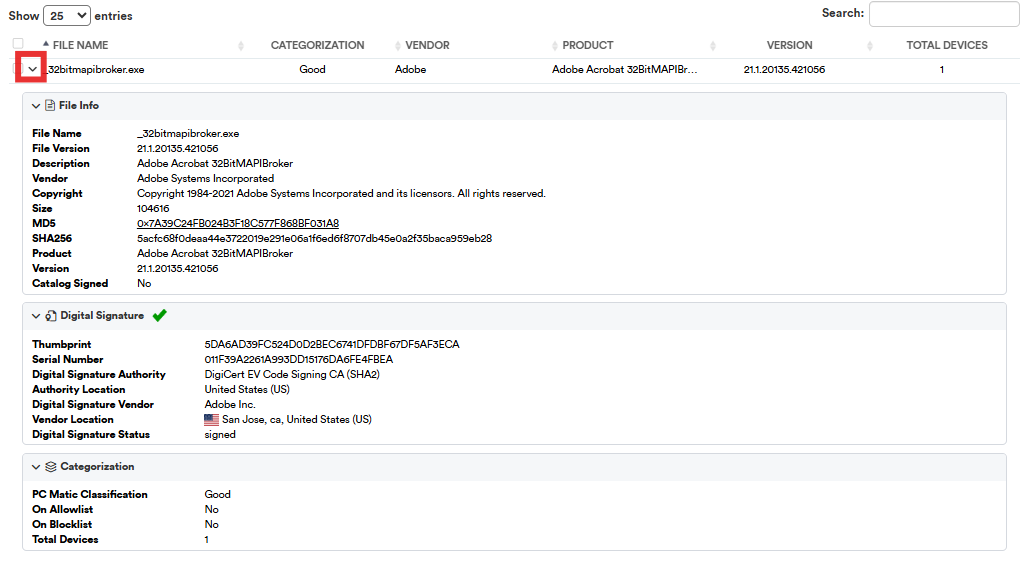
Clicking the arrow icon beside a specific file, will display more detailed data about the File, it’s Digital Signature, and the Categorization.
Deep Dive: To better understand why geographic visibility is a cornerstone of modern cybersecurity, read our full guide on why this matters when evaluating digital signature origins.