In the world of cybersecurity, trust is everything. Because PC Matic is a leader in keeping devices safe, cybercriminals are increasingly trying to “borrow” that trust. They aren’t hacking PC Matic; instead, they are sending fraudulent emails that look like they come from us to trick you.
As we move through 2026, these “imposter” phishing attacks are on the rise. Here is how you can stay one step ahead of the scammers and keep your information secure.
What is a Phishing Email?
A phishing email is a digital forgery. Threat actors create messages that look nearly identical to official communications from brands you trust—like your bank, utility company, or PC Matic.
Their goal isn’t to provide service; it’s to create a “fake” emergency that scares you into clicking a link, calling a fraudulent number, or handing over your login credentials.
Why Scammers are Targeting Security Users
Phishing is at an all-time high because scammers are using AI to mimic professional branding. They specifically target users of security software because they know those users care about safety. By pretending to be a “Security Alert” or a “Renewal Invoice” from PC Matic, they hope to catch you off guard.
Warning: Recent “Imposter” Emails to Watch For
Criminals are currently sending out “Spam” emails that claim to be from PC Matic. These are not sent by PC Matic. They are sent by external threat actors using fake email addresses.
Example: The “Fake Invoice” Scam
This is a more clever tactic where scammers use automated collaboration tools to “mention” you in a fake support case.
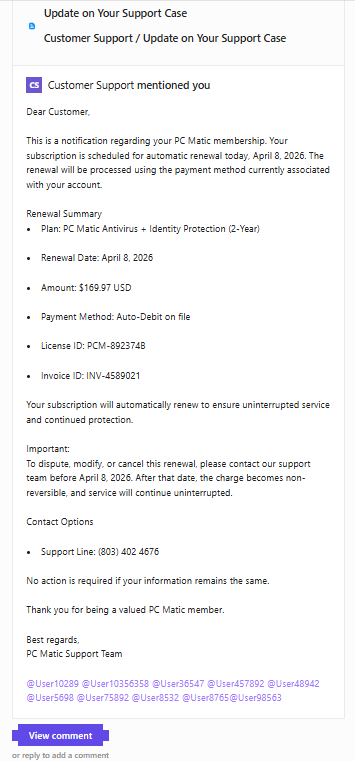
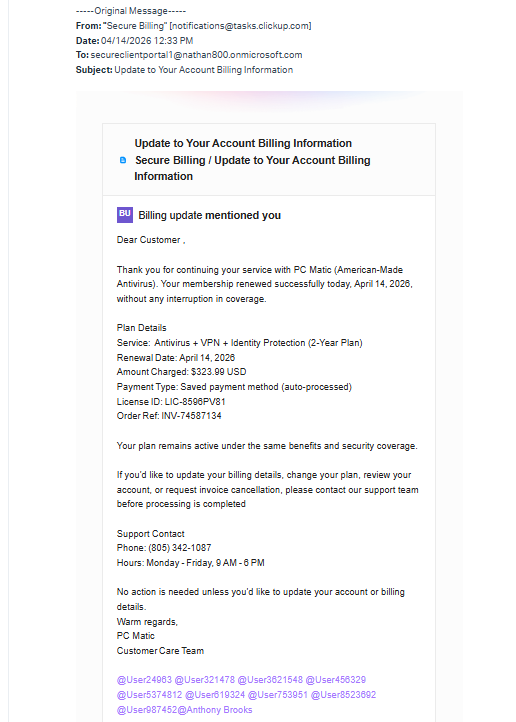
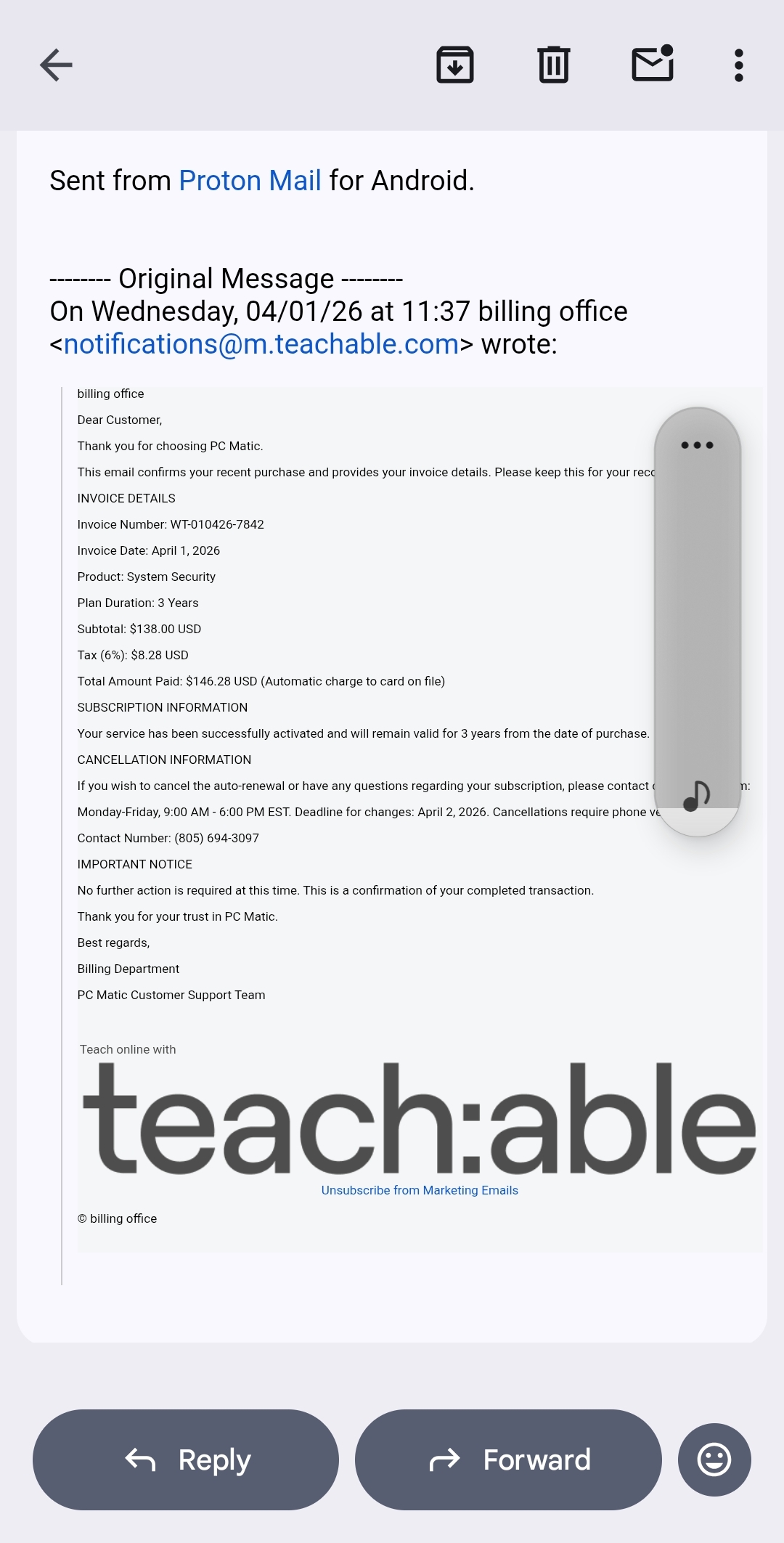
The Red Flags:
- The Formatting: It includes a list of random “User” tags at the bottom, which is a common trick used by bot-driven spam campaigns.
- Verification Needed: It claims an automatic renewal is happening “today” and provides a fake support line to “dispute” the charge.
How to Handle These Emails
If you receive a suspicious email claiming to be from PC Matic, remember: It’s not us, it’s them. Here is how to handle it:
- Don’t Respond or Call: Scammers want to get you on the phone to pressure you. If you didn’t initiate the contact, don’t use the phone number provided in the email.
- Report as Spam Immediately: This is the most helpful thing you can do. By marking the email as “Spam” or “Phishing” in your inbox (Gmail, Outlook, etc.), you help their systems block the scammer from reaching other people.
- Go to the Source: If you ever have a question about your PC Matic account, subscription, or a renewal, ignore the email and go directly to www.pcmatic.com or email [email protected].
PC Matic remains committed to your safety. By staying alert to these external “imposter” scams, you can ensure that the only person in control of your digital life is you.