Have you ever called someone for help with your computer, and they asked to “take control of your screen?” Maybe they asked you to download something so they could fix a problem? That’s an example of remote access—and while it can be helpful in some situations, it’s also a trick scammers use to steal money or personal information.
What Are Remote Access Tools?
Remote access tools are programs that let someone else control your computer from far away. They can see your screen, move your mouse, click buttons, and even type just like they were sitting at your computer.
Some common remote access tools include:
- TeamViewer
- AnyDesk
- LogMeIn
- Chrome Remote Desktop
These tools were made to help people fix computer problems from a distance. For example, a real computer technician might use them to solve an issue without needing to visit your home.
Why Are Remote Access Tools Dangerous?
When you allow someone to access your computer, you’re giving them full control. That means they can:
- See your files and personal documents
- Access your bank or email accounts if they’re open
- Install harmful programs without your knowledge
- Lock you out of your own computer
Even if it seems like nothing bad is happening, a scammer might install something in the background that lets them come back later, even after you think the session is over.
How Do Scammers Use These Tools?
Scammers love remote access tools because they make it easy to steal money, personal information, or even your identity. Here’s how a common scam works:
1 – The Phone Call or Pop-Up
You get a call from someone pretending to be from Microsoft, Amazon, your bank, or a tech support team. Or, a pop-up on your screen says your computer is infected.
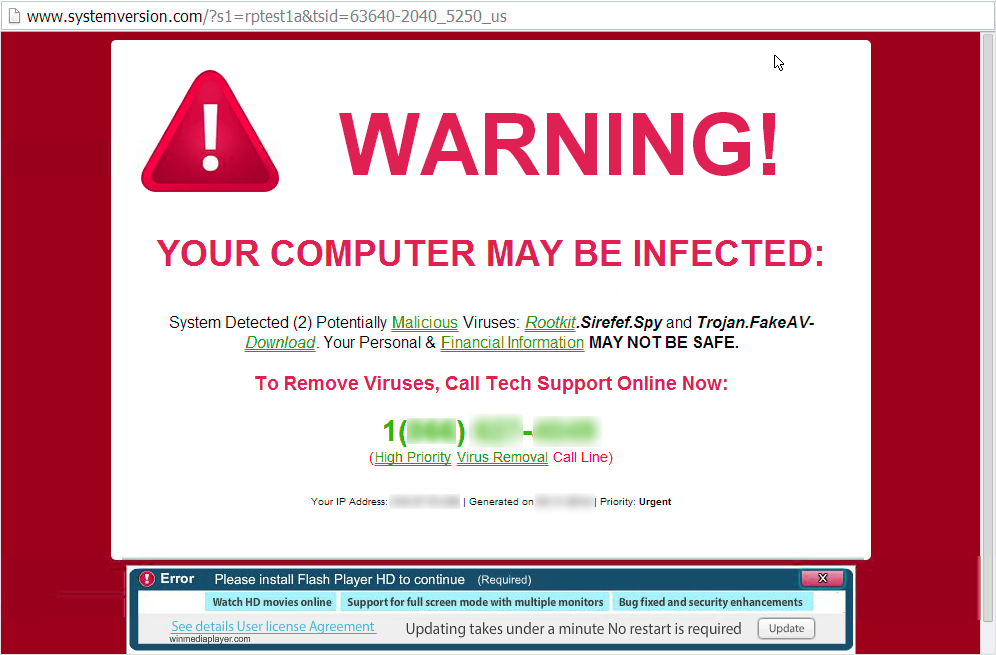
2 – The Scare Tactic
The scammer says something is wrong, like your computer is infected with viruses or your bank account has been hacked.
3 – The “Help” Offer
They ask you to download a remote access tool so they can “fix the issue.”
4 – The Real Scam
Once inside your computer, they might:
- Transfer your money to their account
- Ask you to log into your bank so they can watch
- Steal saved passwords
- Demand payment to “unlock” your files
In some cases, the scammer may seem friendly or helpful but don’t be fooled. If you didn’t ask for help first, it’s probably a scam.
How to Stay Safe
Here are a few tips to protect yourself:
Never let someone access your computer unless you know and trust them.
If you didn’t start the call or request help, don’t allow access.
Don’t download programs a stranger tells you to install.
If someone says, “Go to this website and click download,” that’s a big red flag.
Hang up on suspicious calls.
Microsoft, Amazon, and banks don’t make random calls about computer problems.
Keep your antivirus software up to date.
Good antivirus programs, like PC Matic, can block unsafe programs and warn you about threats.
Talk to someone you trust.
If you’re unsure about something, ask a family member or friend before taking action.
Final Thoughts
Remote access tools were made to help, but in the wrong hands, they become dangerous. Scammers and hackers use them every day to trick people into giving up control of their devices, money, and personal data.
If someone calls or messages you offering to “fix your computer” or “stop a virus,” stop and think. Take a breath. Don’t be rushed. And never give control of your computer to a stranger.
Protecting yourself online doesn’t have to be complicated—it starts with saying no to remote access scams.